Switching from ClubReady to Fit Pro Tracker: The Complete Migration Guide
If you’re reading this, there’s a good chance you’ve been running your gym or fitness studio on ClubReady for a while now. Maybe it’s been months. Maybe it’s been years. And somewhere along the way, that nagging feeling started — the sense that your software is holding you back instead of pushing you forward.
You’re not alone. We talk to gym owners every week who are in the exact same position. They signed up for ClubReady expecting a complete solution, and over time they’ve discovered gaps — features that aren’t there, integrations that don’t work the way they should, and costs that keep climbing every time they need something new.
This guide is for you. We’re going to walk through the most common reasons gym owners leave ClubReady, what actually changes when you switch to Fit Pro Tracker, and — most importantly — exactly how the migration works so you can make an informed decision without the stress.
Why Gym Owners Start Looking for a ClubReady Alternative
Before we get into the solution, let’s be honest about the problems. Every platform has trade-offs, and ClubReady is no exception. Here are the pain points we hear about most often from gym owners who reach out to us.
The Add-On Cost Spiral
ClubReady’s base platform covers scheduling, basic member management, and billing. But the moment you need something beyond the basics — advanced reporting, marketing automation, branded apps, integrated payments — you’re looking at add-on fees. Each one seems reasonable in isolation, but they compound quickly.
We’ve spoken with gym owners paying $500, $700, even $900+ per month once they’ve stacked the add-ons they actually need to run their business. And that’s before per-member fees enter the picture. When your software cost scales with your membership count, growth starts to feel like a penalty instead of a reward.
Limited Communication Tools
Modern gym management demands more than one-way email blasts. Your members expect text messages. Your sales process needs phone calls with follow-up. Your retention strategy needs automated sequences that respond to member behavior.
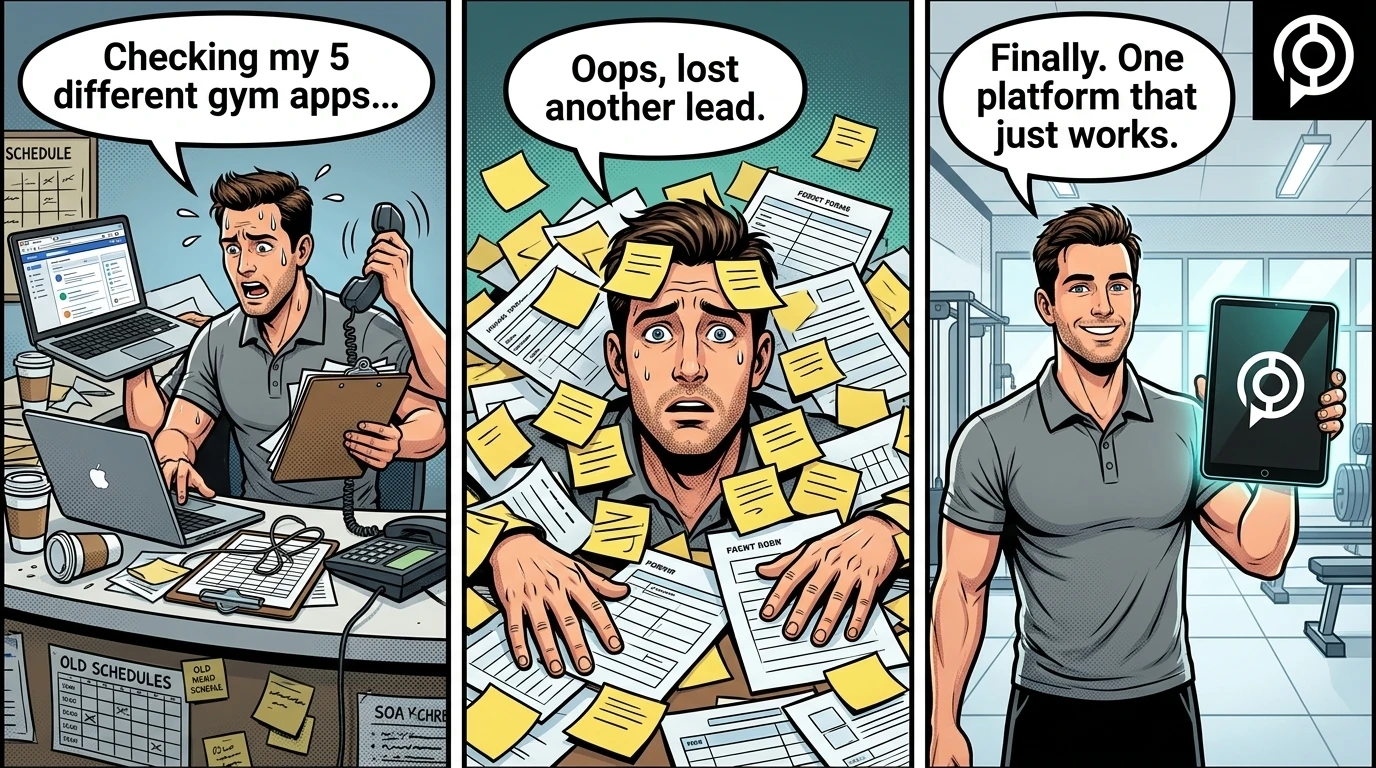
ClubReady’s native communication tools are limited. Most gym owners end up patching the gap with third-party SMS platforms, separate email marketing tools, and standalone phone systems. That means more subscriptions, more logins, more data silos — and more chances for leads and members to fall through the cracks.
An Outdated User Experience
Let’s talk about the interface. If you’ve used ClubReady’s dashboard recently, you know it feels like software that was designed a decade ago and never quite caught up. Navigation is clunky, workflows that should take two clicks take six, and training new staff members on the system is a project in itself.
This isn’t just an aesthetic complaint. An outdated interface means your team moves slower, makes more mistakes, and resists using the software to its full potential. When your front desk avoids the system, your data suffers — and so do your business decisions.
Reporting That Leaves You Guessing
You can’t improve what you can’t measure. ClubReady offers basic reporting, but gym owners consistently tell us the reports are either too surface-level or too rigid to answer the questions that actually matter. Want to understand your true cost per acquisition across different lead sources? Want to see which membership type has the highest lifetime value? Want to track staff performance against KPIs you define?
These are the questions that separate growing gyms from stagnant ones — and they require reporting that goes deeper than ClubReady typically provides without significant workarounds.
Support That Doesn’t Match Your Urgency
When something breaks at your gym — whether it’s a billing error, a scheduling glitch, or a system outage — you need help now, not in 48 hours. One of the most consistent frustrations we hear from ClubReady users is slow support response times and a general feeling that their issues aren’t treated with urgency.
When your business runs on a platform and that platform’s support team isn’t responsive, every small problem has the potential to become a big one.
What Changes When You Switch to Fit Pro Tracker
Fit Pro Tracker was built to solve these exact problems — not because we studied them in a boardroom, but because our founder Antonio Olander lived them. Antonio spent 20 years building enterprise software at Intel before opening his own gym. He experienced firsthand the frustration of cobbling together five or six different tools to do what one platform should handle.
So he built the platform he wished existed. Here’s what that looks like in practice.
One Platform, 275+ Features, No Add-Ons
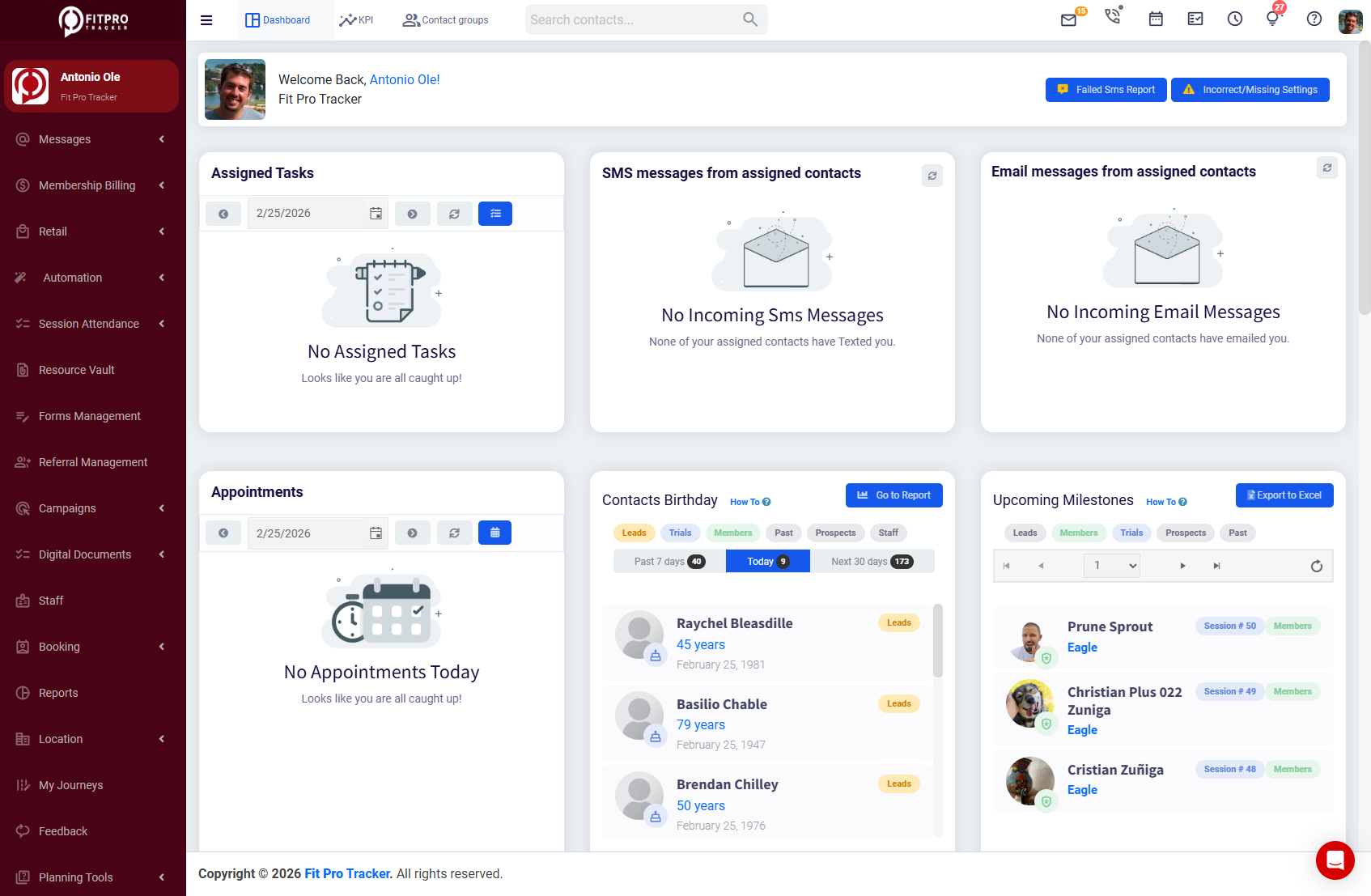
Fit Pro Tracker isn’t a base platform with a menu of upgrades. It’s a complete system from day one. Every feature is included in your subscription — CRM, two-way SMS, email marketing, browser-based inbound and outbound calling with call recording, billing, POS with inventory management, client booking apps for iOS and Android, a staff mobile app, digital documents, appointment scheduling, KPI dashboards, journey and funnel builders, an in-gym kiosk system, and 20+ integrations.
That’s not a wish list. That’s what you get on the day you go live. No upgrade tiers, no feature gates, no “contact sales for pricing” on the tools you actually need.
Communication That Actually Works
Inside Fit Pro Tracker, every communication channel lives under one roof:
- Two-way SMS — Send and receive text messages directly from the platform. No third-party tools, no copy-pasting phone numbers.
- Email marketing — Build sequences, automate follow-ups, and track engagement without leaving the system.
- Browser-based calling — Make and receive calls directly from your dashboard. Every call can be recorded and tied to the member or lead record automatically.
- Journey and funnel builder — Create automated workflows that trigger based on member behavior — missed visits, expiring memberships, lead inactivity, and more.
This isn’t just convenient. It’s transformative. When your communication tools are built into your member database, nothing gets lost. Every interaction is logged, every follow-up is tracked, and your team always knows the full story before they pick up the phone.
Billing That Scales With You (Not Against You)
Fit Pro Tracker supports six different billing models and includes 18+ financial reports out of the box. Whether you run monthly memberships, punch cards, session packages, family plans, corporate accounts, or a combination of all of the above — the system handles it without workarounds.
And here’s the part that matters most as you grow: Fit Pro Tracker costs $299 per month, flat. No per-member fees. Whether you have 200 members or 2,000, your software cost stays the same. That’s the kind of pricing that makes growth feel like growth.
Reporting That Drives Decisions
With KPI dashboards built directly into the platform, you’re not exporting CSVs and building pivot tables in Excel. You’re looking at real-time data that tells you exactly where your business stands — revenue trends, retention rates, lead conversion metrics, staff performance, and more.
The reports are designed by someone who actually needed them to run a gym. That distinction matters more than you might think.
Feature Comparison: ClubReady vs. Fit Pro Tracker
Here’s a side-by-side look at how the two platforms compare across the features that matter most to gym owners.
Seen enough? Let’s talk about your migration.
Our team handles the full data transfer from ClubReady — member profiles, billing history, attendance records. Most gyms are live in under 6 days.
The Migration Process: How Switching Actually Works
This is usually the part where gym owners hesitate. You’ve got years of member data, billing histories, contracts, attendance records, and documents inside ClubReady. The thought of moving all of that to a new platform — while still running your business — sounds overwhelming.
We get it. And that’s exactly why Fit Pro Tracker handles the entire data migration for you.
This isn’t a self-service import wizard where you’re left to figure out CSV formatting and field mapping on your own. Our team does the heavy lifting. Here’s how the process works, step by step.
Step 1: Book Your Free Migration Consultation
Everything starts with a conversation. We’ll walk through your current ClubReady setup — how many members you have, what data you need transferred, what billing structures you’re running, and any custom workflows you’ve built. This call is free, no-pressure, and typically takes about 30 minutes.
The goal is simple: understand your business so we can plan a migration that doesn’t disrupt it.
Step 2: Request Your Exit Files from ClubReady
Once you’re ready to move forward, you’ll submit a data export request to ClubReady. Here’s what to expect:
- Standard timeline: ClubReady typically requires a 2-week lead time to compile and deliver your exit files.
- Expedited option: You can sometimes get files sooner, but ClubReady charges an additional fee to expedite the process.
- Processing: Once ClubReady releases your files, they go through Zift for approximately 1 week of processing before being sent to Fit Pro Tracker.
We’ll guide you through the request process so you know exactly what to ask for. Your exit files will include:
- Member profiles — contact information, membership types, join dates, and custom fields
- Billing records — payment histories, active subscriptions, stored payment methods, and outstanding balances
- Attendance history — class check-ins, appointment records, and visit logs
- Documents and waivers — signed agreements, liability waivers, and any uploaded files
- Lead and prospect data — pipeline stages, communication history, and follow-up notes
We map every field from ClubReady’s data structure to Fit Pro Tracker’s, ensuring nothing gets lost or misplaced in the transition.
Step 3: Data Import and Migration
Once we receive your processed data files, we load them into your Fit Pro Tracker account almost immediately. From there, most clients complete their full migration in less than 6 days — and many have the bulk of it done within just a few hours.
You’ll review everything as part of the process — member counts, billing records, historical data — to make sure it all looks right before going live. If something needs adjusting, we fix it together. No rushing, no cutting corners.
Step 4: System Configuration
While your data is being migrated, we’ll configure Fit Pro Tracker to match your business operations. That means setting up:
- Your class schedules and appointment types
- Billing plans and pricing structures
- Automated communication sequences (welcome emails, missed-visit texts, renewal reminders)
- Staff accounts and permission levels
- Your branded client app
- KPI dashboard with the metrics that matter to you
- Any integrations you need (payment processors, marketing tools, access control systems)
Step 5: Team Training
Your staff needs to be comfortable with the new system before you flip the switch. We provide hands-on training — not a link to a YouTube playlist, but actual walkthroughs with a real person who knows the platform inside and out.
We cover everything from daily front-desk operations to advanced features like the journey builder and reporting dashboards. And because Fit Pro Tracker’s interface was designed for usability, most teams are up to speed within a day or two.
Step 6: Go Live (With Support Standing By)
On your go-live day, our team is on standby. If a question comes up, if something feels unfamiliar, if your front desk needs a quick refresher on how to process a specific transaction — we’re right there. The transition should feel smooth, not stressful.
Most gym owners tell us the switch was far easier than they expected. The anticipation of migration is almost always worse than the reality.
What About Downtime?
This is one of the most common concerns, and it’s a fair one. You can’t close your gym for a week while software gets set up.
The answer: there is no meaningful downtime. The migration process is designed to run in parallel with your existing ClubReady account. Your current system stays live until Fit Pro Tracker is fully set up, tested, and ready to go. The cutover happens when you’re confident — not before.
The Real Cost of Staying on ClubReady
Sometimes the biggest risk isn’t switching — it’s not switching. Let’s do some quick math.
If you’re currently paying $600/month for ClubReady with add-ons (a number we hear regularly), and Fit Pro Tracker is $299/month with every feature included, that’s a savings of $301 per month — or $3,612 per year.
But the real cost isn’t just the subscription difference. It’s the leads you lose because your follow-up process has gaps. It’s the members who cancel because communication feels impersonal. It’s the hours your staff wastes navigating a clunky interface. It’s the business decisions you can’t make because your reporting doesn’t go deep enough.
Those costs don’t show up on an invoice, but they show up in your bottom line.
Built by a Gym Owner, for Gym Owners
There’s a meaningful difference between software built by a tech company that “serves the fitness industry” and software built by someone who has stood at the front desk, coached classes, chased leads, and sweated over payroll.
Antonio Olander built Fit Pro Tracker because he couldn’t find the tool he needed to run his gym effectively. After 20 years of building enterprise software at Intel, he had the technical expertise to build it himself — and the operational experience to know exactly what it needed to do.
That’s why Fit Pro Tracker has 275+ features that actually make sense together. They weren’t added to check boxes on a comparison chart. They were built because a gym owner needed them, tested them in a real gym, and refined them based on what actually worked.
And that philosophy extends to pricing. $299 per month. No per-member fees. Simple 12-month commitment. Because Antonio knows what it feels like to watch your software bill climb while you’re trying to grow your business.
What Gym Owners Say After Switching
The feedback we consistently receive from gym owners who’ve migrated from ClubReady comes down to a few common themes:
- “I didn’t realize how much I was working around my software.” — When everything is in one place, you stop building makeshift solutions and start focusing on your business.
- “The migration was way easier than I expected.” — Having a dedicated team handle the data transfer removes the biggest barrier to switching.
- “I’m saving hundreds every month.” — Flat pricing means no surprises and no penalties for growing.
- “My staff actually uses the system now.” — A modern, intuitive interface means higher adoption and better data.
- “I can finally see what’s actually happening in my business.” — Real-time KPI dashboards change the way you make decisions.
Frequently Asked Questions
How long does the migration take?
The timeline depends on how quickly ClubReady provides your exit files — they typically require a 2-week lead time, plus about a week for data processing through Zift. Once we receive your files, most clients complete their migration in less than 6 days, with many finishing the bulk of it within hours. Your existing ClubReady account stays active throughout, so there’s no gap in operations.
Will I lose any historical data?
No. Our migration process is designed to transfer your complete data set — member profiles, billing histories, attendance records, documents, and lead data. We validate everything before going live to make sure nothing is missing.
What if my staff isn’t tech-savvy?
Fit Pro Tracker was designed with simplicity in mind. The interface is clean and intuitive, and most staff members are comfortable within one to two days. We also provide hands-on training (not just documentation) to make sure your team is confident from day one.
What is the subscription commitment?
Fit Pro Tracker operates on a simple 12-month subscription. This gives us the commitment to invest fully in your onboarding, migration, and ongoing success. We’re confident that once you experience the platform, you’ll wonder why you didn’t switch sooner.
What if I have a question after migration?
Our support team is here for you — not just during migration, but for as long as you’re a Fit Pro Tracker customer. We pride ourselves on responsive, knowledgeable support because we know how critical your software is to your daily operations.
Ready to Make the Switch?
If you’ve been thinking about leaving ClubReady, the hardest part isn’t the migration — it’s making the decision. Once you do, we handle the rest.
Book a free migration consultation and let’s talk through your specific situation. We’ll review your current setup, answer every question you have, and give you a clear picture of what the transition looks like for your gym.
No pressure. No surprises. Just a better way to run your gym.